Showing all videos

No videos match your search.

How To Configure A Solo 2 To Learn a New Track

How To Configure A Solo 2 To Learn a New Track

In this tutorial, we explain how to set up an Aim Solo 2 for learning a new track.

20 Min Tutorial - AiM Solo 2 DL & SmartyCam HD System Setup

20 Min Tutorial - AiM Solo 2 DL & SmartyCam HD System Setup

This video runs through the setup of an AiM Solo 2 DL and SmartyCam HD from scratch within the Race Studio 3 software. Making sure all channels are imported from the ECU of your vehicle and then getting through to getting your pages setup on the Solo 2 DL and the SmartyCam stream configured for fantastic video overlays.

How To Configure & Use The SmartyCam HD

How To Configure & Use The SmartyCam HD

This tutorial looks at the use of a SmartyCam HD/HD GP, the configuration and application for your driving purposes.

How To Configure A SmartyCam 3 Sport

How To Configure A SmartyCam 3 Sport

This video is a step-by-step guide to setting up and configuring a SmartyCam 3 Sport.

Tyre (Tire) Pressure Monitoring System Tutorial

Tyre (Tire) Pressure Monitoring System Tutorial

In this tutorial, the setup of a TPMS system with your Aim data logger is demonstrated and then analysis of tyre pressure monitoring data is discussed using Race Studio 3 Analysis.

How To Configure An Aim Dash For Sim Racing

How To Configure An Aim Dash For Sim Racing

The video runs through configuring Race Studio 3 software to get the dash to work with a Sim feed (iRacing).

How To Configure Brake Bias In Race Studio 3

How To Configure Brake Bias In Race Studio 3

This video will demonstrate how to set up a brake bias math channel to use on your dash and in your data analysis.

How To Install Aim MXK10 Kawasaki Ninja ZX 10R Plug & Play Dash Logger Tutorial

How To Install Aim MXK10 Kawasaki Ninja ZX 10R Plug & Play Dash Logger Tutorial

Learn how to install the MXK10 Dash Logger in your Kawasaki Ninja motorcycle.

How To Change the Start Up Screen in 2 Minutes

How To Change the Start Up Screen in 2 Minutes

In this video, we'll show you how to change the start up screen on your Aim display.

How To Set Up Your MyChron 5 from Scratch

How To Set Up Your MyChron 5 from Scratch

In this video well look at how to set up your MyChron 5 data logger from the first time you switch your device on.

How To Download Your Race Session From Your MyChron 5 Into Race Studio 3

How To Download Your Race Session From Your MyChron 5 Into Race Studio 3

In this video, we'll look at how to take your data from your MyChron 5 and import it into Race Studio for Analysis.

SmartyCam 3 Sport Motorsport Action Camera Unboxing & Guide

SmartyCam 3 Sport Motorsport Action Camera Unboxing & Guide

Unbox the SmartyCam 3 Sport motorsport action camera and learn more about its key features.

MyChron 5S Data Logging GPS Lap Timer Unboxing & Guide

MyChron 5S Data Logging GPS Lap Timer Unboxing & Guide

Unbox the MyChron 5S Data Logging Lap Timer and learn more about its key features.

Formula Steering Wheel Data Logging Motorsport Wheel Unboxing & Guide

Formula Steering Wheel Data Logging Motorsport Wheel Unboxing & Guide

Unbox the Formula Steering Wheel 4 and learn more about its key features.

Nissan GTR Plug & Play OEM Replacement Dash Display

Nissan GTR Plug & Play OEM Replacement Dash Display

First look at the Nissan GTR Plug & Play OEM Replacement Dash.

Race Studio 3 Volume 1 w/ RS3 Software Developer Emiliano Bina

Race Studio 3 Volume 1 w/ RS3 Software Developer Emiliano Bina

Come and join us as we discuss everything data and Race Studio 3, with the developer of the software its self, Emiliano Bina, based at Aim head office in Italy.

Race Studio 3 Volume 2 w/ Emiliano Bina, James Mulley, Roger Bromiley

Race Studio 3 Volume 2 w/ Emiliano Bina, James Mulley, Roger Bromiley

This month, our host, James Colborn, locks in with Radical Instructor, Roger Bromiley, Aim Operations Manager, James Mulley and Race Studios very own Software Developer, Emiliano Bina.

Race Studio 3 Volume 3 w/ James Colborn June 2021

Race Studio 3 Volume 3 w/ James Colborn June 2021

In this episode we go over the basics of data analysis (3 best views), configuring race studio 3, saving user profiles for data analysis and adding video to your data analysis workflow.

Race Studio 3 Volume 4 w/ James Colborn July 2021

Race Studio 3 Volume 4 w/ James Colborn July 2021

In this episode we go through the basics of your SmartyCam HD applications, setting up your dash, logger and SmartyCam, configuring your SmartyCam HD screen and looking at your SmartyCam HD videos.

Race Studio 3 Volume 5 w/ James Colborn August 2021

Race Studio 3 Volume 5 w/ James Colborn August 2021

In this episode we go through getting the most out of your Solo2 to maximise your performance.

Race Studio 3 Volume 6 w/ James Colborn

Race Studio 3 Volume 6 w/ James Colborn

In this episode, we go through getting the most out of your Aim hardware configurations.

Race Studio 3 Volume 7 w/ James Colborn

Race Studio 3 Volume 7 w/ James Colborn

Over the past few years Tyre Pressure Monitoring Systems (TPMS) have become more affordable and accessible to racers. From club to professional racing levels, the age old question of finding the optimal tyre pressure and temperature is available to all.

Race Studio 3 Volume 8 w/ James Colborn

Race Studio 3 Volume 8 w/ James Colborn

James Colborn and software developer Emiliano Bina discuss features of the Race Studio 3 Analysis software.

Race Studio 3 Volume 9 w/ James Colborn

Race Studio 3 Volume 9 w/ James Colborn

Find answers to any questions you may have about Aim devices, ready for the new season.

Race Studio 3 Volume 10 w/ James Colborn

Race Studio 3 Volume 10 w/ James Colborn

James Colborn and software developer Emiliano Bina discuss RS3 Analysis software features and bug fixes.

Race Studio 3 Volume 11 w/ James Colborn

Race Studio 3 Volume 11 w/ James Colborn

Explore the new possibilities and updates in RSA3, including customising your user profiles, track maps and more.

Customise Your Race Studio 3 Analysis View | Webinar Vol.12

Customise Your Race Studio 3 Analysis View | Webinar Vol.12

Learn about math channels, X/Y (Scatter) Plots and customising your personal view on Race Studio 3.

Introduction To Using Video For Data Analysis in Race Studio 3 | Webinar Vol.13 Part 1

Introduction To Using Video For Data Analysis in Race Studio 3 | Webinar Vol.13 Part 1

Learn how SmartyCam 3 Sport video footage and data work together in Race Studio 3 for data analysis.

Understanding SmartyCam Video Analysis Driver Inputs in Race Studio 3 | Webinar Vol.13 Part 2

Understanding SmartyCam Video Analysis Driver Inputs in Race Studio 3 | Webinar Vol.13 Part 2

Understand how to use SmartyCam video with Race Studio 3 to analyse driver inputs and improve performance.

Using SmartyCam Video To Explain RS3 Data: Driving Lines & Track Geography | Webinar Vol.13 Part 3

Using SmartyCam Video To Explain RS3 Data: Driving Lines & Track Geography | Webinar Vol.13 Part 3

Learn how to use SmartyCam video with Race Studio 3 to understand traffic, driving line and track geography.

How SmartyCam Data Improves Driver Performance In Race Studio 3 | Webinar Vol.13 Part 4

How SmartyCam Data Improves Driver Performance In Race Studio 3 | Webinar Vol.13 Part 4

Learn how to combine SmartyCam video and Race Studio 3 data to analyse performance and improve your driving.

How To Configure The Aim SmartyCam 3 Sport | Webinar Vol.14

How To Configure The Aim SmartyCam 3 Sport | Webinar Vol.14

Learn how to configure the SmartyCam 3 Sport to suit your needs.

Aim Reference Lap: Choose Your Own Lap Time To Chase | Webinar Vol.15

Aim Reference Lap: Choose Your Own Lap Time To Chase | Webinar Vol.15

Learn everything you need to know about the reference lap feature and how to use it.

Making The Most Of User Profiles In Race Studio 3 | Webinar Vol.16

Making The Most Of User Profiles In Race Studio 3 | Webinar Vol.16

Learn how to create and optimise user profiles in Race Studio 3 to make driver and vehicle data analysis quick and easy.

Track Segmentation For Different Purposes | Webinar Vol.17

Track Segmentation For Different Purposes | Webinar Vol.17

Learn how to effectively use the software for splitting, naming and analysing segments.

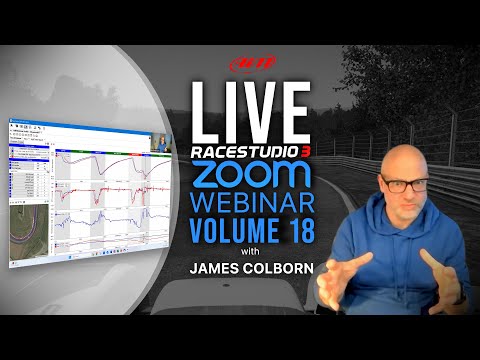
Sim vs. Real-Life: Back-To-Back Analysis For Performance Improvement | Webinar Vol.18

Sim vs. Real-Life: Back-To-Back Analysis For Performance Improvement | Webinar Vol.18

In this webinar, we look at two sessions. One session will be using data captured in real life and one session with data captured on a simulator using iRacing.

AiM Race Studio 3 - Downloading from WiFi (using an AiM Solo 2)

AiM Race Studio 3 - Downloading from WiFi (using an AiM Solo 2)

This video guides you through downloading data from an AiM device (in this case an AiM Solo 2) via WiFi. Featured will be connecting the the device, downloading the session and managing sessions already downloaded

AiM Race Studio 3 - Configuring RS3 for Data Download

AiM Race Studio 3 - Configuring RS3 for Data Download

This video focuses on setting up AiM Race Studio 3 for fast, consistent and efficiency data downloads. The focus is on making sure all input variables are correct including driver, vehicle and session (venue) types

AiM Race Studio 3 - Quick Tip - Updating Firmware

AiM Race Studio 3 - Quick Tip - Updating Firmware

This video looks at downloading and updating your device's firmware using Race Studio 3. An AiM Solo 2 is used for the demonstration.

AiM Race Studio 3 - Quick Tip - Configuring a Solo 2

AiM Race Studio 3 - Quick Tip - Configuring a Solo 2

This video looks at the use of Race Studio 3 to configure an AiM Solo 2. From setting up the device name to customizing your own start screen logo, this video examines the simple configuration of the Solo 2.

AiM Race Studio 3 - Track Management in RS3

AiM Race Studio 3 - Track Management in RS3

This video looks at how to manage tracks in Race Studio 3. The tutorial features how to create collections of tracks and transfer them to your AiM device.

AiM Race Studio 3 - Quick Tip - Connecting A Device to a WiFi Network

AiM Race Studio 3 - Quick Tip - Connecting A Device to a WiFi Network

This video looks at connecting your AiM WiFi enabled hardware to an existing network (instead of using it as an Access Point). The advantages range from having your device and computer connected to the internet at the same time (useful for updates) through to managing multiple devices in Race Studio 3 at the same time.

Measures Graph In Race Studio 3 | Aim Academy Ep.1

Measures Graph In Race Studio 3 | Aim Academy Ep.1

Learn about measures graphs in Race Studio 3.

Track Maps In Race Studio 3 | Aim Academy Ep.2

Track Maps In Race Studio 3 | Aim Academy Ep.2

Understanding track maps in Race Studio 3.

Improve Your Lap Time Using Google Earth In Race Studio 3 | Aim Academy Ep.3

Improve Your Lap Time Using Google Earth In Race Studio 3 | Aim Academy Ep.3

Using Google Earth in Race Studio 3.

Aim Academy - Episode 4 - Lap Replay Analysis - Race Studio 3

Aim Academy - Episode 4 - Lap Replay Analysis - Race Studio 3

Analyzing lap replays in Race Studio 3.

Aim Academy - Episode 6 - GPS Lap Insert - Race Studio 3

Aim Academy - Episode 6 - GPS Lap Insert - Race Studio 3

How to insert GPS laps in Race Studio 3.

Aim Academy - Episode 7 - User Profiles - Race Studio 3

Aim Academy - Episode 7 - User Profiles - Race Studio 3

Managing user profiles in Race Studio 3.

Aim Academy - Episode 8 - Track Report - Race Studio 3

Aim Academy - Episode 8 - Track Report - Race Studio 3

Generating track reports in Race Studio 3.

Aim Academy - Episode 9 - Spotting Trends - Race Studio 3

Aim Academy - Episode 9 - Spotting Trends - Race Studio 3

Spotting trends in Race Studio 3 data.

Tricks & Tips For Measures Graph In Race Studio 3 | Aim Academy Ep.10

Tricks & Tips For Measures Graph In Race Studio 3 | Aim Academy Ep.10

Advanced tips for using measures graphs.

How To Use The Channels Report in Race Studio 3 | Aim Academy Ep.11

How To Use The Channels Report in Race Studio 3 | Aim Academy Ep.11

Using the channels report feature.

Aim Academy - Episode 12 - Race Studio 3 Walkthrough

Aim Academy - Episode 12 - Race Studio 3 Walkthrough

A comprehensive walkthrough of Race Studio 3.

Aim Academy - Episode 13 - Connecting Via Wi-Fi - Race Studio 3

Aim Academy - Episode 13 - Connecting Via Wi-Fi - Race Studio 3

How to connect your devices via Wi-Fi.

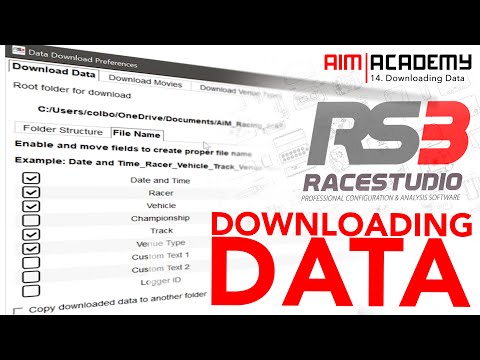
Aim Academy - Episode 14 - Downloading Data - Race Studio 3

Aim Academy - Episode 14 - Downloading Data - Race Studio 3

Downloading data in Race Studio 3.

How to Set Up Aim Dash in Race Studio 3 for Use in iRacing Sim Racing software - Tutorial

How to Set Up Aim Dash in Race Studio 3 for Use in iRacing Sim Racing software - Tutorial

Set up Aim Dash for iRacing.

How to become a BETTER RACING DRIVER by using iRacing and Race Studio 3 - Sim Racing

How to become a BETTER RACING DRIVER by using iRacing and Race Studio 3 - Sim Racing

Use iRacing and Race Studio 3 to improve your racing skills.

iRacing Sim Racing Software + Aim Dash with Shift Light Module Hardware Combined - Video Demo

iRacing Sim Racing Software + Aim Dash with Shift Light Module Hardware Combined - Video Demo

Demo of combining iRacing with Aim Dash and Shift Light Module.

Race Studio Analysis 3 - Tutorial 1 - Getting Started

Race Studio Analysis 3 - Tutorial 1 - Getting Started

In this first of a multi-part tutorial series on Race Studio Analysis 3, we look at how to get started and ensure that you've got access to your data and have imported your sessions to analyse.

Race Studio Analysis 3 - Tutorial 2 - Test Database

Race Studio Analysis 3 - Tutorial 2 - Test Database

In this second tutorial in the Race Studio Analysis 3 series, we look at the test database. The much improved library of your data sessions and files where you can manage and sort your racing files.

Race Studio Analysis 3 - Tutorial 3 - Time Distance

Race Studio Analysis 3 - Tutorial 3 - Time Distance

In this third tutorial in the Race Studio Analysis 3 series, we look at the time-distance tab (or function) in the software. This will likely be the most used part of the analysis software so the video explores the similiarities with race studio 2 analysis and then upgraded features.

Race Studio Analysis 3 - Tutorial 4 - User Profiles

Race Studio Analysis 3 - Tutorial 4 - User Profiles

In this fourth tutorial in the Race Studio Analysis 3 series, we look at the user profiles feature. This is a very important functionality that will ensure that any customisation of the software is saved on an ongoing basis (and for later use). Just like any software, the practice of 'saving your work' and keeping a record of your progress is very important in Race Studio Analysis 3 with all of the new personalisation features.

Race Studio Analysis 3 - Tutorial 5 - Track Maps

Race Studio Analysis 3 - Tutorial 5 - Track Maps

In this fifth tutorial in the Race Studio Analysis 3 series, we examine track maps. To make things much simpler, in the new software, a track map (with segments) is automatically created. This video looks at taking that one step further with custom segmentation and naming.

Race Studio Analysis 3 - Tutorial 6 - Track Report Feature

Race Studio Analysis 3 - Tutorial 6 - Track Report Feature

In this sixth tutorial in the Race Studio Analysis 3 series, we examine track report feature. This functionality allows an overlay of the driven laps onto a mapping software (such as Google Maps) for further analysis. In addition, segment analysis is also enabled with the 'side items' in Race Studio Analysis 3. It is important that users have watched the fifth tutorial (segmenting track maps) to ensure they gain the maximum from this Track Report Feature.

Race Studio Analysis 3 - Tutorial 7 - Split Times Report

Race Studio Analysis 3 - Tutorial 7 - Split Times Report

In this seventh tutorial in the Race Studio Analysis 3 series, we examine the Split Times Report. This feature allows for a deeper understanding of the performance from a sessions laps in detail. From understanding your 'theoretical best lap' to breaking down consistency in performance per segment, this analysis is one of the most useful for understanding driver performace.

Race Studio Analysis 3 - Tutorial 8 - Channels Report Feature

Race Studio Analysis 3 - Tutorial 8 - Channels Report Feature

In this eight episode of the Race Studio Analysis 3 series, we examine the Channels Report feature. This functionality is extremely useful for analysing channels on a lap by lap basis, studying variables such as max, min, average (amongst many options) of each channel by lap or a segment of a lap (determined by your lap segmentation). This example looks at using the Channels Report feature for Vehicle Health.

Race Studio Analysis 3 - Tutorial 9 - X/Y Scatter Plot

Race Studio Analysis 3 - Tutorial 9 - X/Y Scatter Plot

In the ninth episode of the RSA3 tutorial series, we investigate the X/Y Plot or Scatter Plot feature within the new analysis software. This feature works well to compare two channels that when cross references would give insight and analysis into performance. This video looks at the relationship between oil pressure and lateral g force.

Race Studio Analysis 3 - Tutorial 10 - Built In Math Channelss

Race Studio Analysis 3 - Tutorial 10 - Built In Math Channelss

In this tenth tutorial of the series, the topic of Math Channels is explored for the first time by looking at using the pre-built (or built in) channels in Race Studio Analysis 3. These are predominantly focussed on GPS data and are therefore applicable to every user of every AiM device on the market. From the humble Solo 2 to the more advanced loggers and dashes, this functionality is useful for all.

Race Studio Analysis 3 - Tutorial 11 - Customizing Your RS3A Profiles

Race Studio Analysis 3 - Tutorial 11 - Customizing Your RS3A Profiles

In this eleventh tutorial of the series, we examine the customization of RS3A for your own personal preference. One of the real strengths of Race Studio 3 Analysis is you can build profiles with many different custom layouts that work for your particular requirements. This video examines how to do this with just GPS data so it's applicable to all AiM users.

Race Studio Analysis 3 - Tutorial 12 - Video & Data Together in RSA3

Race Studio Analysis 3 - Tutorial 12 - Video & Data Together in RSA3

In this twelth video of the RSA3 tutorial series, we look at combining data files and video files (from a SmartyCam) together for analysis. The core areas of this video is two fold; the first is importing video file into RSA3 and conditioning those files for analysis and the second is setting up your RSA3 profiles for data analysis. There is a final bonus section talking about the little known secret of how much data is actually stored in a SmartyCam file.

Race Studio Analysis 3 - Tutorial 13 - AiM Cloud

Race Studio Analysis 3 - Tutorial 13 - AiM Cloud

In this thirteenth tutorial (and first for 2023) the new AiM Cloud service is explored. Learning how to upload, download, manage your AiM session files and then share with fellow racers and teams is explored. If your laptop is starting to groan at the amount of data you've got or you want to access your best laps on any machine at anytime then this service might be for you.

Race Studio Analysis 3 - Tutorial 14 - Set Your Own Reference Lap

Race Studio Analysis 3 - Tutorial 14 - Set Your Own Reference Lap

In this tutorial, the new feature in Race Studio 3 and Race Studio 3 Analysis of uploading your own reference lap is explored. So, if you are someone who wants to chase a laptime on track of your own chosing (or chase the laptime of someone else), this is the tutorial for you. Firstly, we'll examine what a reference lap is, how to prepare your software and hardware for the feature then how to create your own and finally upload to your compatible device.

Race Studio Analysis 3 - Tutorial 15 - Data Reports

Race Studio Analysis 3 - Tutorial 15 - Data Reports

AiM have released a new way of analysing and reporting on data. Called 'Data Reports' this updated to Race Studio 3 Analysis allows you to create comparisons of sessions, splits and more. Follow along in this tutorial as we discover features and start to understand their true potential.

Race Studio Analysis 3 - Export & Import Data Files

Race Studio Analysis 3 - Export & Import Data Files

Have you ever wanted to import data from a fellow racer or friend? Has anyone ever asked you for your data but you don't know how to export it? If so, this tutorial is for you. This video shows how to export 3 things; a session file, a user profile and a track split.

Aim Solo 2 DL GPS + ECU Racing Dash Logger

Aim Solo 2 DL GPS + ECU Racing Dash Logger

We understand about competitive Motorsport and as experienced racers ourselves, we know the importance of accurate data analysis to improve driver and engine performance to win races. We have a huge range of specialised Motorsport data loggers, Dash Loggers and Racing GPS Lap Timer, as well as On Board Camera and Motorsport Sensors. These are built to exacting standards and designed to withstand the most harsh Motorsport environments.

Aim SmartyCam HD Rev 2.1 67° Kart Racing Onboard Video Camera

Aim SmartyCam HD Rev 2.1 67° Kart Racing Onboard Video Camera

The Aim SmartyCam HD Rev 2.1, 67° Kart Racing Onboard Video Camera, has been designed for Kart/Bike/Car and Boat racing with a single purpose - accuracy. Aim Systems are unparalleled in providing you with the most precise racing lap times, data and statistics, giving you the tools to improve your lap times when milliseconds really matter.

SmartyCam HD GP 2.2 + MyChron 5 for Kart / Super Kart

SmartyCam HD GP 2.2 + MyChron 5 for Kart / Super Kart

We understand about competitive Motorsport and as experienced racers ourselves, we know the importance of accurate data analysis to improve driver and engine performance to win races. We have a huge range of specialised Motorsport data loggers, Dash Loggers and Racing GPS Lap Timer, as well as On Board Camera and Motorsport Sensors. These are built to exacting standards and designed to withstand the most harsh Motorsport environments.

Aim MXS Strada

Aim MXS Strada

Aim MXS Strada Car Racing Display - https://www.aimshop.com - The New Car racing dash display from Aim Technologies.

Super B Motorsport Batteries at AimShop.com

Super B Motorsport Batteries at AimShop.com

Lightweight & high performance lithium battery designed for motorsports, for use in extreme environments.

Solo 2 DL: With and Without Side By Side Comparison

Solo 2 DL: With and Without Side By Side Comparison

As demonstrated in this video, the Aim Solo 2 DL gives you the most accurate data you will need to understand how youre riding and where you need to improve to reduce your lap time and overall become a better rider.

AiM Technologies SiM Racing Display Logger With Chloe Anna Jones

AiM Technologies SiM Racing Display Logger With Chloe Anna Jones

The 5” MXS 1.2 Strada Strada Sim Racing Display is a superb high contrast mid-size TFT display with Customisable RGB shift lights for Sim racing.
AiM MX Series Product Video

AiM MX Series Product Video

We understand about competitive Motorsport and as experienced racers ourselves, we know the importance of accurate data analysis to improve driver and engine performance to win races. We have a huge range of specialised Motorsport data loggers, Dash Loggers and Racing GPS Lap Timer, as well as On Board Camera and Motorsport Sensors. These are built to exacting standards and designed to withstand the most harsh Motorsport environments.

AiM MXL2 Car Racing Dash Logger

AiM MXL2 Car Racing Dash Logger

The AiM MXL2 acquires and displays data from your ECU engine, the internal accelerometer gyro as well as a GPS08 Module in the kit. MXL2 dash logger provides all the information needed by professionals and amateur drivers. The dash has been designed to make configuration and usage smooth and easy for people using it for the first time, or people from a technical background.

AiM MXK10 Dash Logger for Kawasaki Ninja ZX10r

AiM MXK10 Dash Logger for Kawasaki Ninja ZX10r

Our new flagship dash, in partnership with Kawasaki, comes with all the best features from our high end MX series dashes, including lap timing capabilities, ECU and CAN Connections, high quality TFT LCD Display, Wi-Fi Connection and automatic GPS track recognition with over 4,000 tracks on our database worldwide, which is constantly being updated with new, user inputted tracks.

Best Fires, Fails & Overtakes 2021

Best Fires, Fails & Overtakes 2021

Ranging from Crashes, to Fires, Drifts, Power Boats, Near Misses, Overtakes & more, this video has it all. Thanks to all the drivers involved! If you have more footage using our SmartyCam then feel free to send it into Media@aimtechnologies.com , and you might feature on our next compilation video - You could also be in with a chance of winning £500. (Go see our Facebook page for more details on this competition).

AiM & iRacing Data - Logging Data (Telemetry) in iRacing

AiM & iRacing Data - Logging Data (Telemetry) in iRacing

This tutorial looks at how to configure iRacing to log data (or telemetry) that can the be later converted for analysis in AiM Race Studio Analysis.

AiM & iRacing Data - Importing Data in Race Studio Analysis 3

AiM & iRacing Data - Importing Data in Race Studio Analysis 3

[Tutorial Refresh] - AiM have made importing iRacing data (and other Sim programs) into Race Studio Analysis 3 much simpler in the new software release.

AiM & iRacing Data - Converting .IBT Files

AiM & iRacing Data - Converting .IBT Files

[UPDATE FOR 2023] - If you are using the new Race Studio Analysis 3, click the following link for a new video showing how much easier it is to import iRacing files.

AiM & iRacing Data - Managing iRacing Sessions

AiM & iRacing Data - Managing iRacing Sessions

Once you've uploaded your data into Race Studio Analysis the next thing to do is edit the sessions with the correct information and clean up the laps to show only the useful data.

AiM & iRacing Data - Mapping iRacing Sectors in Race Studio Analysis

AiM & iRacing Data - Mapping iRacing Sectors in Race Studio Analysis

This video tutorial focuses on getting your iRacing sectors (or splits) into the AiM Race Studio Analysis software for further analysis (like the Split Times Report feature).

AiM & iRacing Data - Managing iRacing Channels

AiM & iRacing Data - Managing iRacing Channels

How many iRacing channels do you actually need or use? Do you need a basic list of channels or do you need them all? What channels do I get when I select the 'basic' list?

AiM & Sim Racing - In Game Demonstration

AiM & Sim Racing - In Game Demonstration

This video is a demonstration of an AiM MXP Strada working with iRacing. The key features of a configured dash and shift light module (used as a predictive lap timer) are demonstrated using an iRacing session around Silverstone National in a Global MX5 Cup.

vLog - Episode 3 - AiM & Sim Racing

vLog - Episode 3 - AiM & Sim Racing

As the pandemic rapidly increased Sim Racing adoption, software and hardware providers like AiM created solutions for racers. In this vLog, we discuss data analysis and dash usage and why it's a great 'cross over' set of solutions for racers looking to mirror their offline and online experiences with data.

AiM SmartyCam Track Day Camera

AiM SmartyCam Track Day Camera

The AiM SmartyCam HD Rev 2.1, 67° Motorsport Video Logger Camera, is ideal for car interior installation where a narrower field of vision (FOV) is needed.

The AiM Solo 2 DL + SmartyCam HD GP kit is all you need to improve your track performance.

The AiM Solo 2 DL + SmartyCam HD GP kit is all you need to improve your track performance.

We understand about competitive Motorsport and as experienced racers ourselves, we know the importance of accurate data analysis to improve driver and engine performance to win races. We have a huge range of specialised Motorsport data loggers, Dash Loggers and Racing GPS Lap Timer, as well as On Board Camera and Motorsport Sensors. These are built to exacting standards and designed to withstand the most harsh Motorsport environments.

SmartyCam HD GP 2.2 + Solo 2 DL Kit for BIKE

SmartyCam HD GP 2.2 + Solo 2 DL Kit for BIKE

We understand about competitive Motorsport and as experienced racers ourselves, we know the importance of accurate data analysis to improve driver and engine performance to win races. We have a huge range of specialised Motorsport data loggers, Dash Loggers and Racing GPS Lap Timer, as well as On Board Camera and Motorsport Sensors. These are built to exacting standards and designed to withstand the most harsh Motorsport environments.

AiM MXPS Plug&Play Dash Logger for Suzuki GSX-R 1000 installation tutorial

AiM MXPS Plug&Play Dash Logger for Suzuki GSX-R 1000 installation tutorial

Official installation tutorial of the new Plug&Play Dash exclusively designed for GSX-R 1000 (2017-2022).