


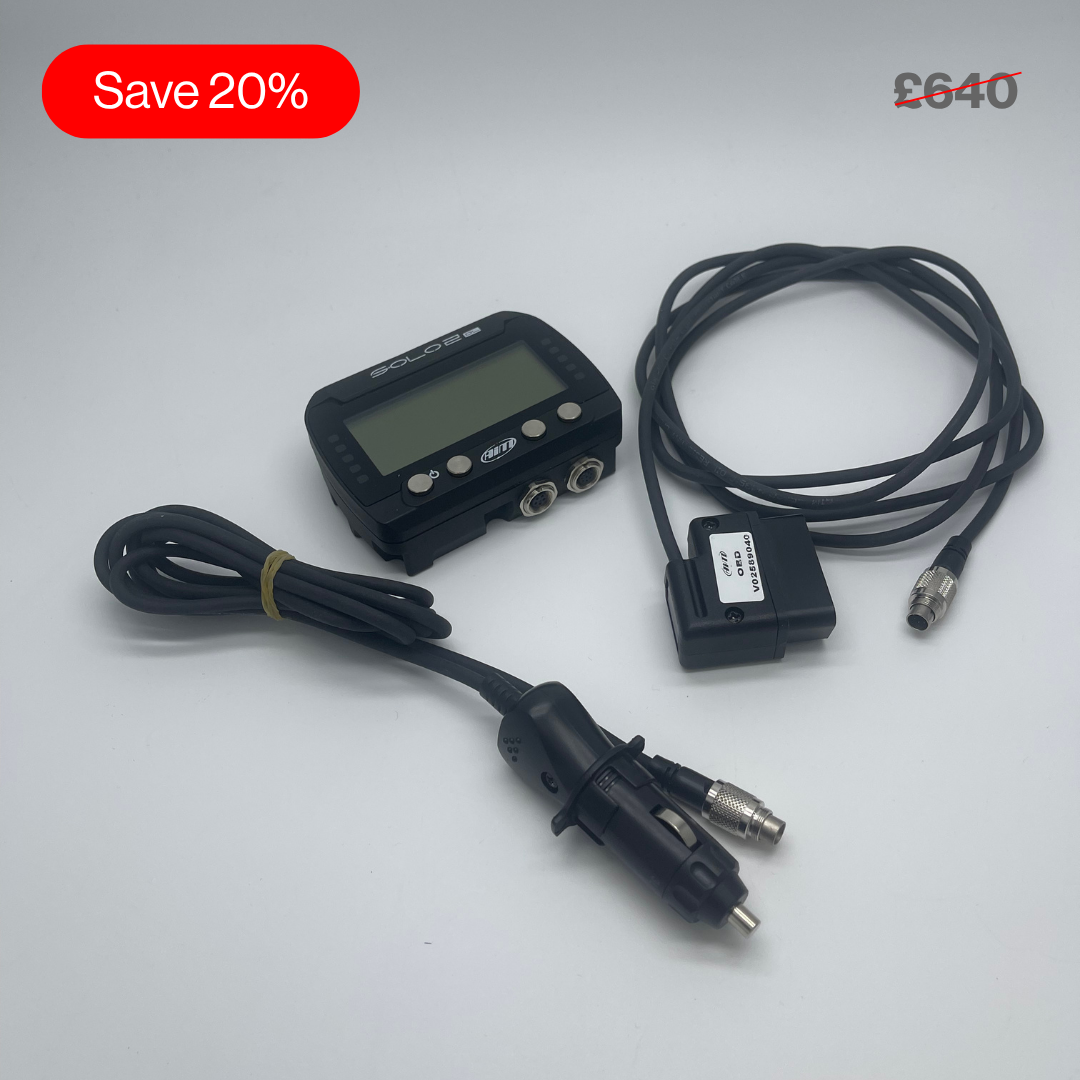
Second-Life Aim Solo 2 DL GPS Lap Timer
Pairs well with

Same Day Shipping
When you order before 15:00 BST
Monday - Friday

Worldwide Shipping


All Orders are Carbon-Neutral

Second-Life Aim Solo 2 DL GPS Lap Timer
If you’ve got a question, you’re looking for information, or you just want to chat, please find a host of available help options below.
Get Advanced Lap Times & Performance Analysis
Display instant speed, timing splits, live data and delta lap times on a high-contrast display with an accuracy of up to two-hundredths of a second. See your exact racing line, compare it to optimal lines for faster lap times, track the vehicle's movements and provide detailed data on acceleration, braking, and cornering forces. Do all of this and more with direct ECU data logging for instant, trackside, or post-race analysis with all your logged performance data.
Why Choose the Track Day Solo 2 DL
Building on the features of the Aim Solo 2 model, the Solo 2 DL motorsport lap timer connects directly to the vehicle's ECU to record vital engine data, without the need for complex wiring. Compatible with a wide range of motorsport applications and vehicle ECUs, the Solo 2 DL is a versatile tool for helping motorsport professionals monitor and improve their performance in any motorsport discipline.
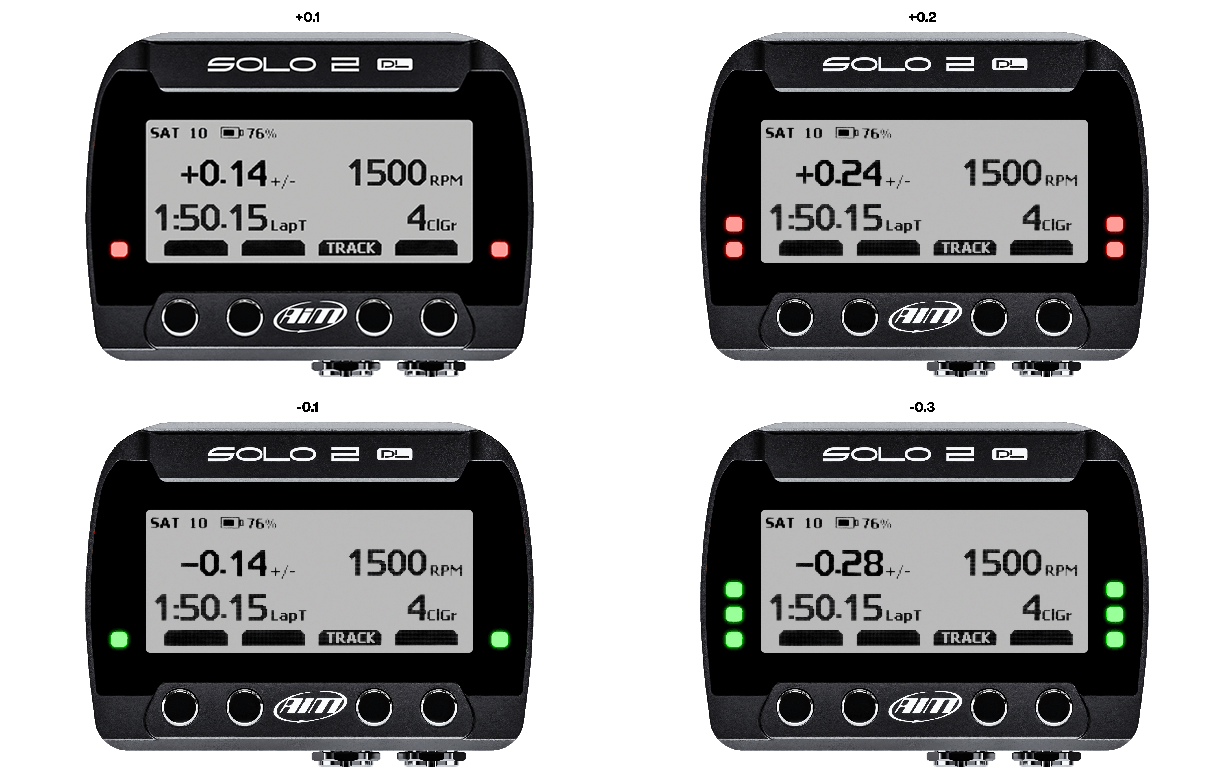
On-Screen Delta Feedback
Delta times provide instant feedback on your performance, showing how your current timing compares to your best.
With the Solo's predictive lap timing function, you can see in real time how your current lap compares to your best lap. It also features a theoretical lap timing mode which pieces together your overall best sector times to provide an optimal lap time that could be achieved.
At the end of your test, you can review all the key information on your display or download to our free Race Studio 3 software for more comprehensive analysis.
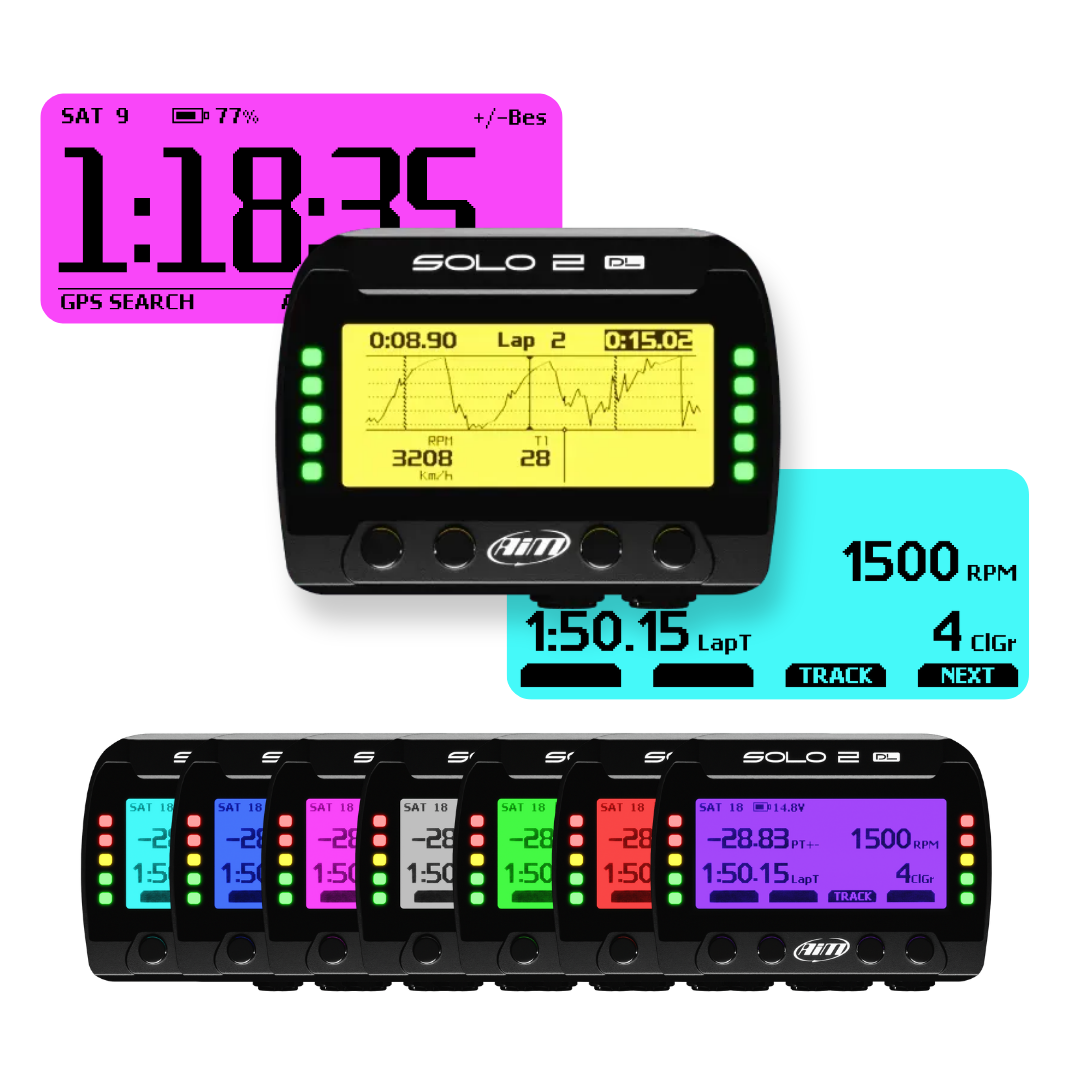
Advanced Display, Track Recognition & Easy Connection
The Solo 2 DL has a sharp, high-contrast display which helps drivers easily identify the data displayed on screen, as well as 8 different backlight colours.
Thousands of pre-loaded worldwide track maps are available, the track day lap timer automatically recognises your position on the track as soon as it's switched on. Once you start to drive, it automatically recognises the start line coordinates of the track and starts sampling lap times every time you go past.
Whether it's used for point-to-point runs for rallying or a closed-loop track, the Solo 2 DL allows you to create a new temporary or permanent track layout too. Even if there is no track already, the device will create one for you.
Sample your data, including RPM, engine load, throttle position (TPS), oil, air, water temperature, oil pressure, battery voltage, speed, gear and lambda value (air/fuel).
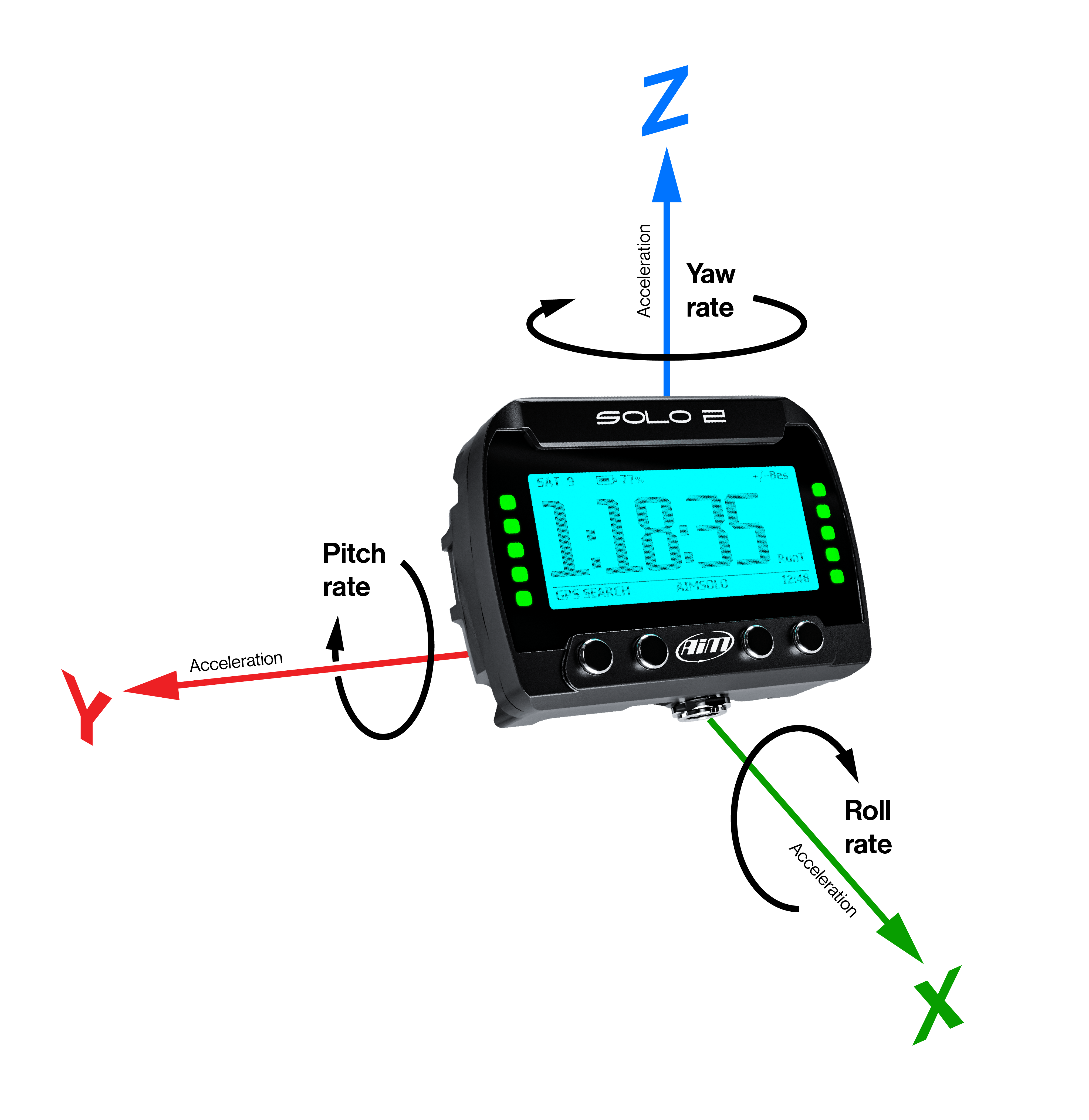
Inertial Platform
The Solo 2 DL calculates, displays, and records lap times, sector times, position & vehicle speed, with a sampling rate of up to 25Hz, and 3D acceleration & gyro. This allows you to see your exact racing line, compare it to optimal lines for faster lap times, track the vehicle's movements and provide detailed data on acceleration, braking, and cornering forces.

In-Depth Analysis with Race Studio 3
One of the many reasons that the Aim Solo 2 lap timer is regarded as one of the best GPS lap timers in the motorsport industry is due to its easy configuration and integration with Race Studio 3 software, available to download on desktop or our mobile app.
- Create, modify and manage configurations for a customised display
- Perform in-depth data analysis to compare lap times, sector performance and more
- Overlay data performance data onto your SmartyCam video footage for post-race review
- Access the extensive track database within Race Studio 3 to ensure accurate lap timing and data logging
- Save new track layouts directly from Race Studio for future sessions

Mounting Options
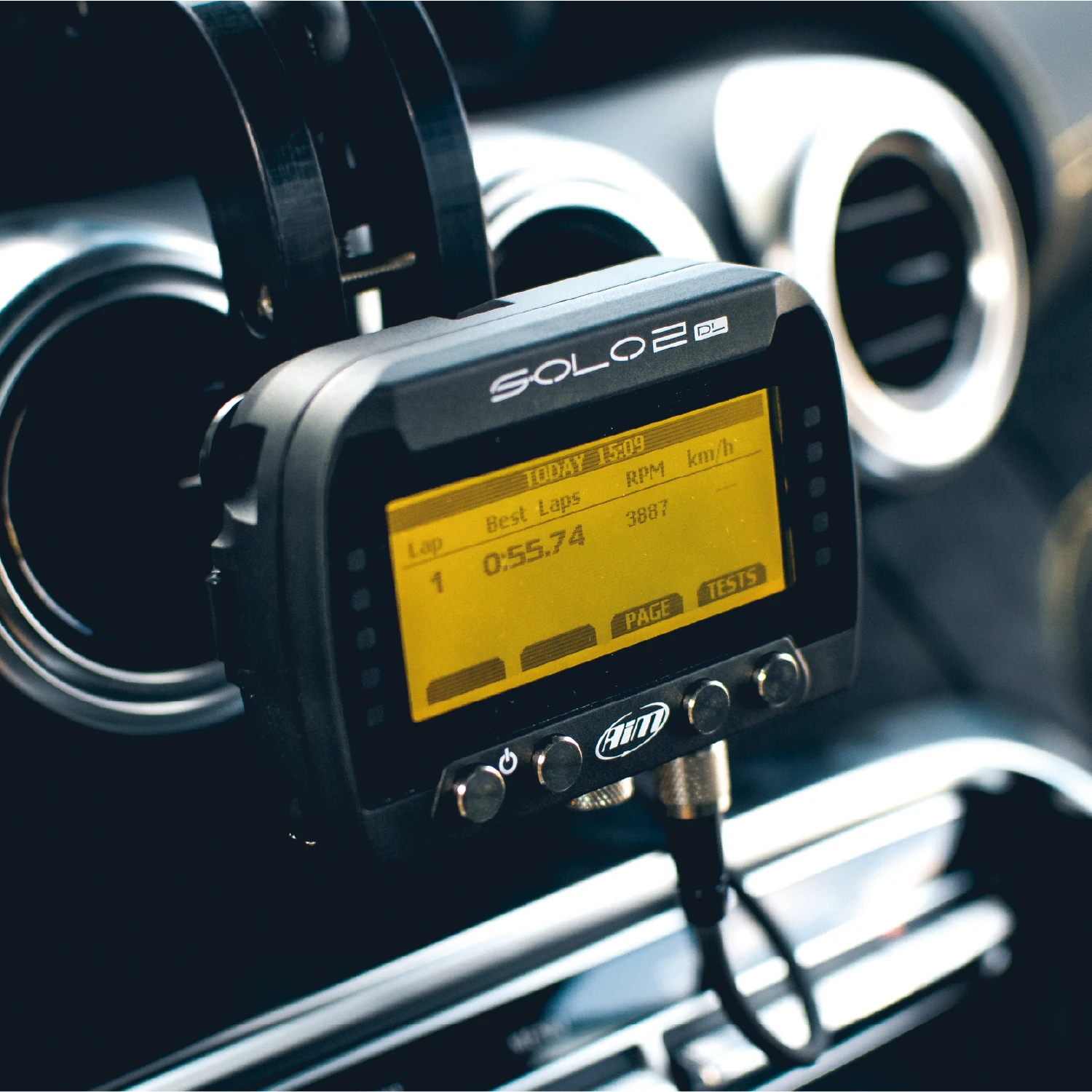
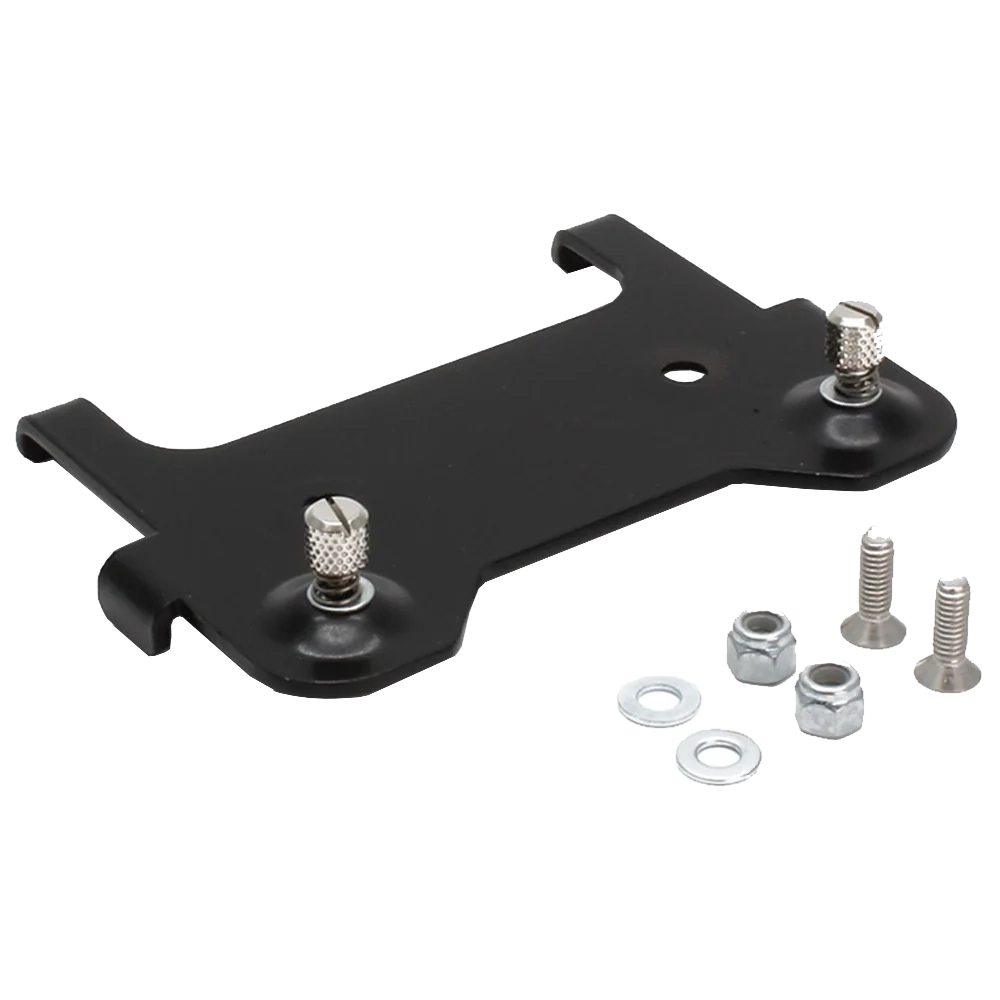
A variety of Solo 2 DL mounts provides an easy installation for a wide range of vehicle types.

Expand Your System
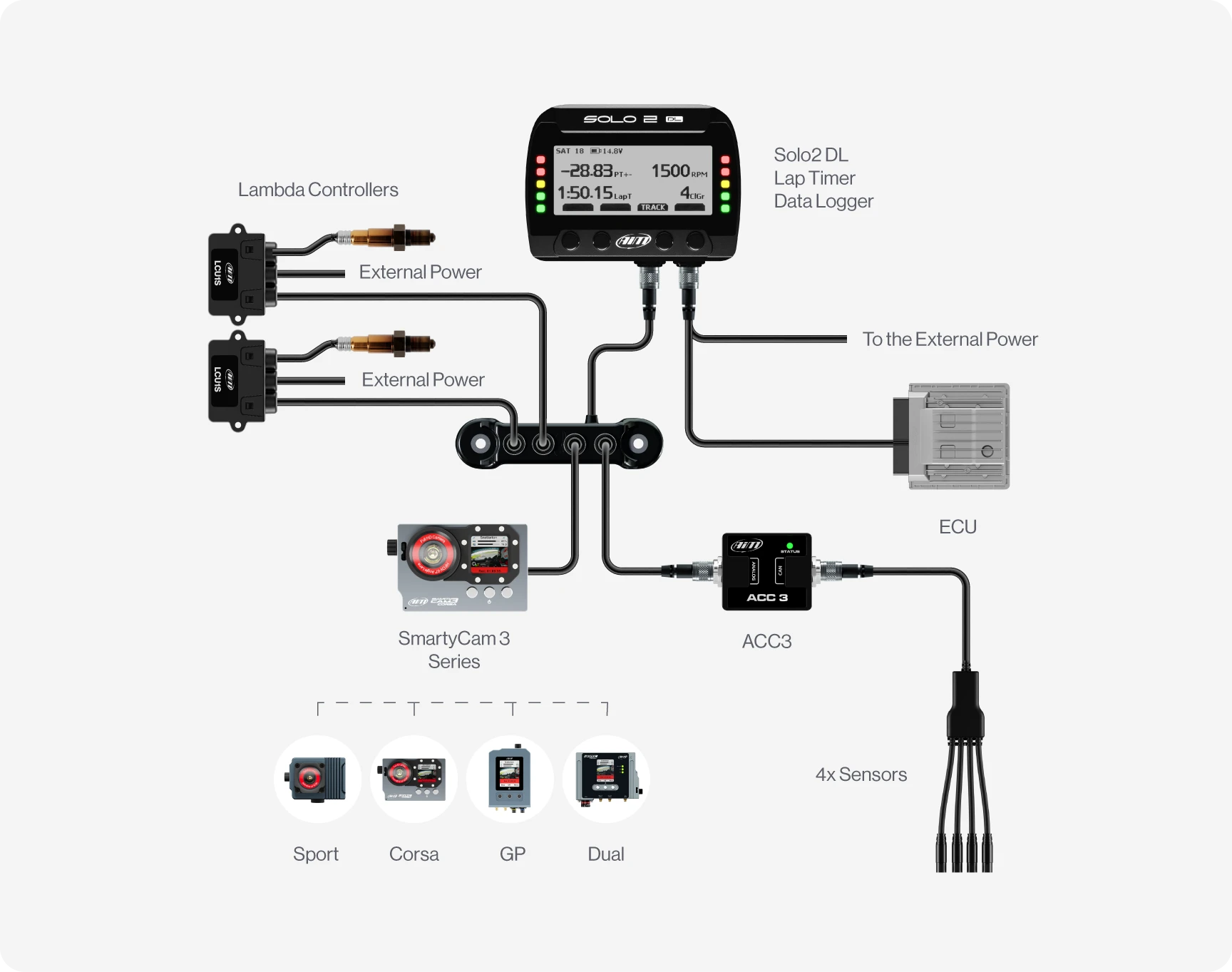
To take your data one step further, the Aim Solo 2 DL seamlessly connects to Aim SmartyCams and a variety of vehicle sensors to increase your data performance and enhance your analysis with the added visuals and overlays, as well as additional sensor information.
Technical Information
Technical Specs
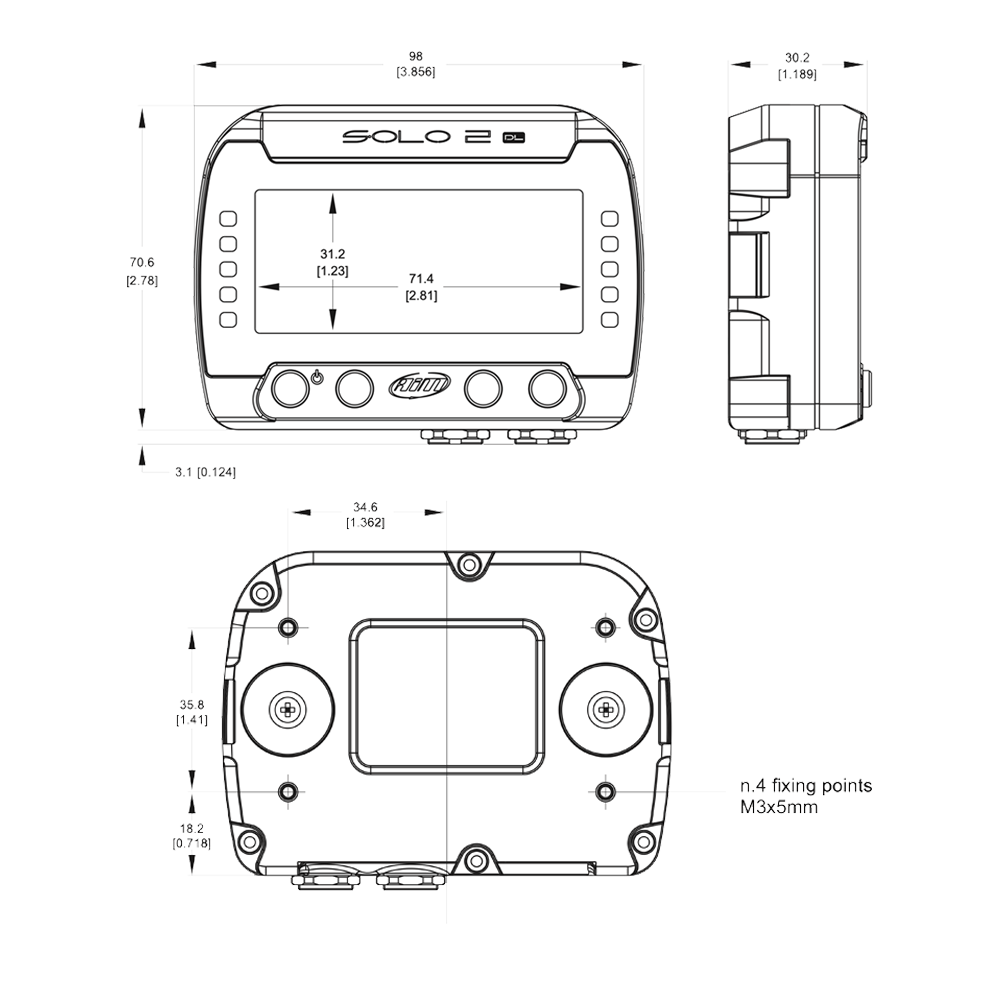
Diagram
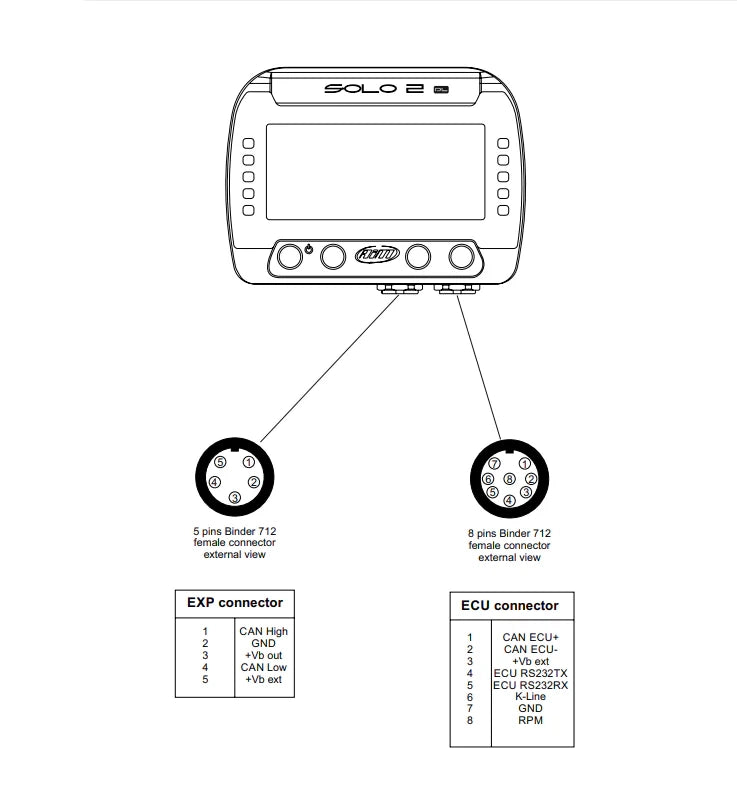
Pinout
Included in the Box
Solo 2 DL
Solo 2 Mounting Bracket with Screws
Power Cable with AC Adapter
Your Chosen Connection Cable
-

Free Aim Software

Downloads


Videos
Overview

Connection Example
FAQs
Please read our FAQs page to find out more.
What is the best track day lap timer?
The Aim Solo 2 DL is a high-precision, 25Hz GPS lap timer. It connects directly to your vehicle’s ECU to provide detailed performance data such as speed, RPM, throttle position and more. It provides accurate lap times, split times and predictive timing, with advanced data logging capabilities, making it one of the best compact data logging lap timers with an integrated display for track days.
How does the Aim Solo 2 DL motorsport lap timer work?
The Aim Solo 2 DL is a GPS lap timer that allows you to analyse instant speed, timing splits, live data and predictive, theoretical and delta times. It connects directly to the car's ECU and multiple satellite constellations (GPS and GLONASS), providing performance data in real time.
What technology does the Aim Solo 2 DL use?
The Aim Solo 2 DL uses a range of different technologies to enhance user experience. It has a 25Hz GPS receiver for precise lap timings and position markers, a 100Hz 6-axis inertial platform that provides data on roll, pitch and yaw. It also has integrated data logging capabilities via CAN bus, for advanced and comprehensive data collection.
How do you connect the Aim Solo 2 DL to the car’s system?
The Aim Solo 2 DL manages all the hardware ECU connections as well as all the communication lines: CAN, RS232 or K-Line. Choose between the CAN/RS232 external power cable, CAN/K-Line/external power cable with the OBDII connector or RPM/external power cable. If your car doesn't have an ECU, you can connect the Solo 2 DL to an RPM wave to synchronise RPM to the position on the track thanks to the RPM power cable.
How do you display gear information on the Aim Solo 2 DL?
Selected gear information can be sourced by gear potentiometer, ECU stream message, or it can be calculated in real time by the Solo 2 DL through speed and RPM. Each mode requires a specific gear configuration.
Does the Aim Solo 2 DL come with a warranty?
All Aim products come with a 12-month warranty as standard, but you can purchase an extended warranty for an additional 12 months.
Does the Aim Solo 2 DL work with other Aim products?
Yes, the Aim Solo 2 DL is compatible with other Aim products, acting as a central hub for motorsport data acquisition during track days. It features an expansion port (via CAN connection) that allows for easy integration of additional sensors and systems.
The Solo 2 DL can work seamlessly with our SmartyCam 3 series for data overlay and high-quality recordings. It can also be paired with an Aim ACC3 to add 4 additional analogue channels for external sensors. Data Hubs can also be added to the system to provide additional CAN channels, which is ideal if you're already using the CAN expansion port. Please see the "Connections" tab for more examples.
How does the Aim SmartyCam work with the Solo 2 DL?
The Aim SmartyCam connects via CAN connection to receive real time engine (RPM, speed and gear) and GPS data from the Solo 2 Data Logger to overlay this data directly onto video footage. By pairing the Solo 2 DL with a SmartyCam, you can get lap times, speed and other data as part of your track recordings.
How do you add a new track to the Race Studio 3 database?
There are more than 4,000 pre-loaded track maps in the Race Studio 3 database. However, you can add an open or closed circuit in Menu > Type of Racing > Circuit Type, then select the "TRACK" and "CREATE" buttons. Follow the prompts onscreen or take a look at our track creation guide for more information on how to set up open or closed circuits.
Comparison Table
Compare models side-by-side. Swipe horizontally on mobile.
| Specs |
Aim Solo 2 DL
|
Aim Solo 2
|
|---|---|---|
|
Key Features
| ||
|
Size & Weight
| ||
|
Waterproof
| ||
|
In the box
| ||
|
Technical
| ||
|
Display
|

