


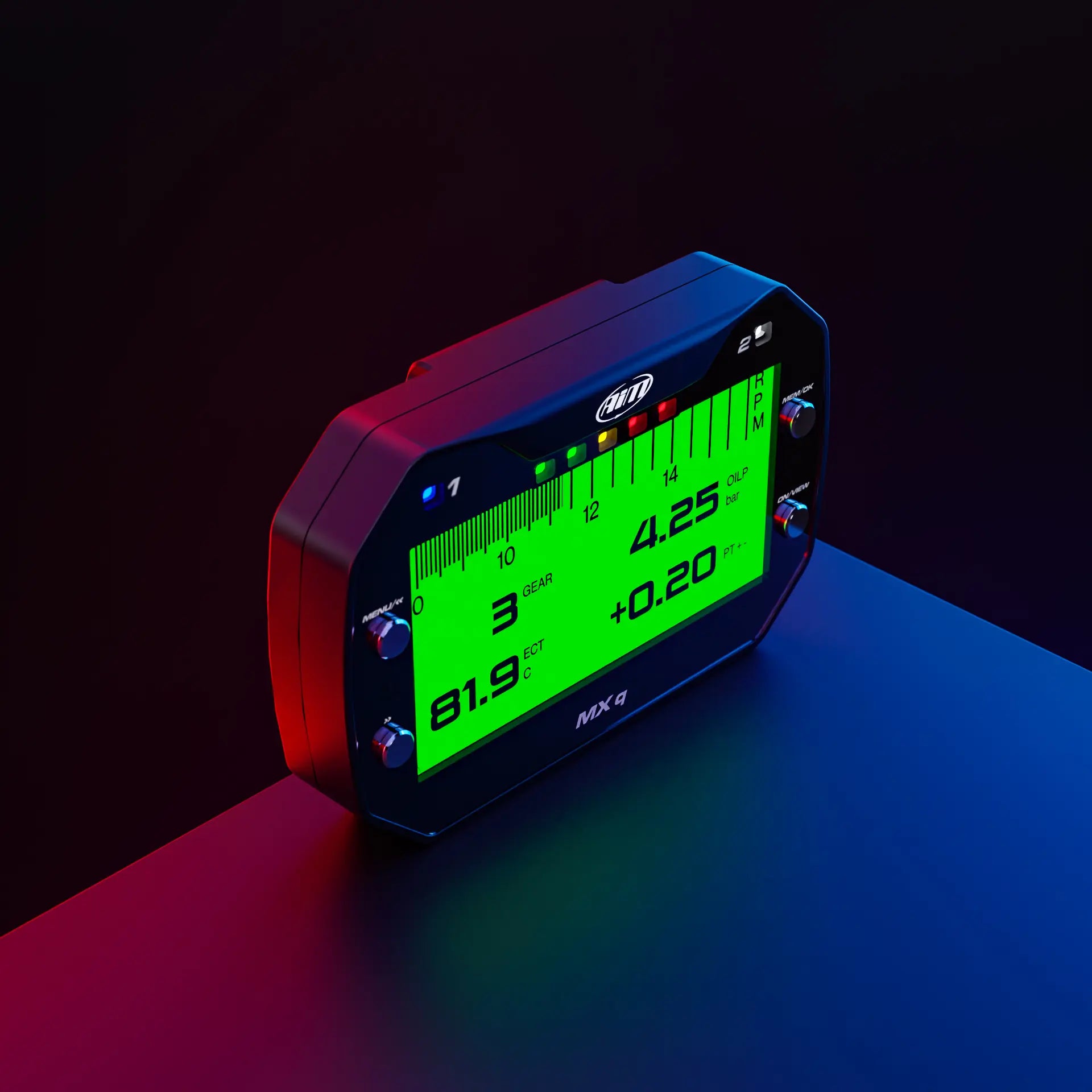
The Aim MXq data logging dash is a go-to choice for racers thanks to its compact size, integrated 25Hz GPS and simple connection with the vehicle’s ECU. In this article, we’ll discuss what the MXq dash is, its key features and connections and how it compares to other similar data logging dashes.
What is the Aim MXq Dash?
The Aim MXq is an entry-level dash logger, sampling and displaying all the essential information required by racing drivers: speed, lap times, RPM, gear and much more. It’s ideal for both pro and amateur racers thanks to its compact, plug-and-play design that fits any car or bike.
MXq Dash Key Features
The MXq dash logger comes with an internal GPS, boasting a range of benefits for motorsport telemetry:
- Range of Data Sources: Samples data from the ECU, internal GPS and predefined math channels.
- Inputs: The MXq has 1 fully configurable analogue input and 1 digital input (1 low-level coil RPM input, 0-5 V square wave). It does not have digital outputs.
- Position & Speed on Track: Manages 4 constellations, with a precision of less than 0.5m and sampled 25 times per second.
- Inertial Platform: 3D accelerations and gyro - the inertial platform at 100Hz - gives the possibility to calculate roll, pitch and yaw.
- Track Database: Has 4,000+ tracks in its database. If the track isn’t in the database, the MXq dash logger can automatically understand the characteristics of the track to calculate lap times.
- Lap Timer: The MXq data logger automatically starts sampling lap times using its GPS, showing delta times and more. It also calculates lap times with the track name and time of the test to make it easier to analyse data.
- Data Recall: The onscreen summary shows your best laps, with max/min RPM, speed and temperatures.
- Shift Lights & Alarm LEDs: 5 shift light arrays can be customised to what you want to know, such as when to shift gears. 2 RGB alarm LEDs can also be configured to your liking.
- Sharp Liquid Crystal Display: The 268x128-pixel graphical liquid crystal display (LCD) with outstanding black-to-white ratio ensures data is visible at all times. An ambient light sensor also keeps the backlight at optimum brightness levels.
How the Aim MXq Display Compares
The MXq dash display is a lighter version of the MXm, offering many of the same features with slightly fewer inputs/outputs for compact or simple setups.
The table below shows the differences between the two dashes. Take a look at the 'Comparison' tab on each of the product pages to see a comparison of each of the data logging displays.
| MXq | MXm | |
| Analogue Inputs | 1 fully configurable, max 500Hz | 4 fully configurable, max 500Hz each |
| Digital Inputs |
Low-level coil RPM input 0-5 V square wave |
2 speed inputs Low-level coil RPM input, 0-5 V square wave |
| Digital Outputs | - | 2 high-side |
| Connectors | 3 712 binder connectors | 37-pin motorsport + 4-pin power connector |
How to Connect the MXq Dash Logger
The Aim MXq dash logger has three 712 binder connection ports: CAN ECU, analogue input and CAN EXP. Simply choose which connection you require for your setup. Plug the 712 binder into the MXq’s port and screw it in and secure it. Then wire the other end into your vehicle, or simply plug it straight into your vehicle's OBDII port if you’re using the OBDII harness. Once connected, the MXq dash logger can be configured using Race Studio 3, either on a PC or our mobile app.
A range of Aim expansions can also be added to the dash logger, such as the ACC3 and LCU to get the best from your engine and - with Aim SmartyCam series - to see your track performance with all the data overlays you need.
WiFi connectivity makes it even more convenient to configure, calibrate and download your data wirelessly, using a secure 802.11 WiFi connection. You can be connected to the device up to 50 meters away.
MXq Software
Race Studio 3 is the core of motorsport data analysis, allowing you to configure and analyse data.
Configuration
With Race Studio 3, you can create, modify, delete, import and export configurations of:
- All channels
- ECU drivers
- Math channels
- Display pages
- Digital outputs
- Alarms
- Shift lights
- Expansions
Analysis
In Race Studio 3, you can also analyse all data recorded by the MXq and download it to your PC or mobile.
Graphs, histograms, and tables will help you study your performance, providing objective support to avoid mistakes and improve your performance, as well as to tune the engine and adjust the setup of your vehicle.
You will also be able to manage the map of all your racing tracks and compare two laps by watching the video recorded by the SmartyCam camera.
Free Support Resources
If you need support with setting up your MXq display logger or configuring Race Studio, we have a wide range of free resources available. From Race Studio video tutorials, dedicated FAQs and technician support, we can help you get your device set up and on the track. Take a look at our MXq dash display to see for yourself why racers choose the Aim MXq dash logger to achieve their racing goals.
Share:
Guía integral para elegir un registrador de datos de automovilismo
Aim MX Series: Which Display Logger is Right for you?